Announcement

Collapse
No announcement yet.

Hey computer nerds... again

Collapse
X
 
  • Filter
  • Time
  • Show
Clear All
new posts

  • Hey computer nerds... again

    So I got this thing with Firefox and Flash, which seems to be an issue that occasionally happens to people, where firefox cannot or will not acknowledge Flash is present. Instead, when you check the plug-ins, you get the message "For your safety, Firefox has disabled your outdated version of Flash. Please upgrade to the latest version."

    I've obviously updated flash - a dozen times, checked for older versions of flash, I've updated all the other plug-ins, I tried moving the dll into the mozilla plug-in directory manually, and I've also tried about a couple dozen other fart in the mouth fixes that aren't working.

    This is a serious problem, as I am currently unable to play bejeweled blitz, or do anything else flash related. Well, actually I could if I used another browser, but I don't want to. So please, nerds, help me!
    "You're all very smart, and I'm very dumb." - Partial

  • #2
    Did you restart?
    "Greatness is not an act... but a habit.Greatness is not an act... but a habit." -Greg Jennings

    Comment


    • #3
      Step 1:


      Step 2: Purchase new computer
      "Never, never ever support a punk like mraynrand. Rather be as I am and feel real sympathy for his sickness." - Woodbuck

      Comment


      • #4
        Backup your favorites first then uninstall Firefox completely. After the Windows uninstall, delete the entirety including the prefs stored in your user profile.

        Reinstall Firefox, then go to www.flash.com and do the install when it starts up.
        Originally posted by 3irty1
        This is museum quality stupidity.

        Comment


        • #5
          Originally posted by SkinBasket View Post
          So I got this thing with Firefox and Flash, which seems to be an issue that occasionally happens to people, where firefox cannot or will not acknowledge Flash is present. Instead, when you check the plug-ins, you get the message "For your safety, Firefox has disabled your outdated version of Flash. Please upgrade to the latest version."

          I've obviously updated flash - a dozen times, checked for older versions of flash, I've updated all the other plug-ins, I tried moving the dll into the mozilla plug-in directory manually, and I've also tried about a couple dozen other fart in the mouth fixes that aren't working.

          This is a serious problem, as I am currently unable to play bejeweled blitz, or do anything else flash related. Well, actually I could if I used another browser, but I don't want to. So please, nerds, help me!

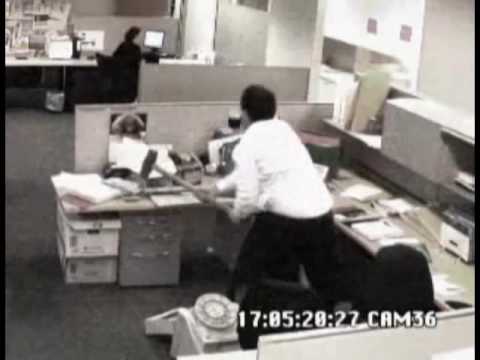
          Make up with Partial, and then ask him to help.

          Comment


          • #6
            Originally posted by Zool View Post
            Backup your favorites first then uninstall Firefox completely. After the Windows uninstall, delete the entirety including the prefs stored in your user profile.

            Reinstall Firefox, then go to www.flash.com and do the install when it starts up.
            That's way too much work.
            "You're all very smart, and I'm very dumb." - Partial

            Comment


            • #7
              I swear to God Zool, if I go through all this trouble and it's still fucked up, I will find you and punch you right in your gunt.
              "You're all very smart, and I'm very dumb." - Partial

              Comment


              • #8
                Originally posted by SkinBasket View Post
                I swear to God Zool, if I go through all this trouble and it's still fucked up, I will find you and punch you right in your gunt.
                Thats a solid 4 minutes of work ya lazy shit.
                Originally posted by 3irty1
                This is museum quality stupidity.

                Comment


                • #9
                  Originally posted by Zool View Post
                  Thats a solid 4 minutes of work ya lazy shit.
                  Except I'm going to have to spend a couple hours looking up all the usernames and passwords that autofill.
                  "You're all very smart, and I'm very dumb." - Partial

                  Comment


                  • #10
                    Just use Chrome for fucks sake. You do use gmail correct? have a Google sign in? If not just get it over with. They might be the new evil but at least you never have to worry about backing up favorites and passwords.
                    C.H.U.D.

                    Comment


                    • #11
                      My wife uses chrome. I don't want to have to log-in and out all the time, so I use my good ol' zilla.

                      Anyway, luckily for Zool, uninstalling and manually deleting the remaining folders (that I told it to delete during the uninstall) worked. Thanks.
                      "You're all very smart, and I'm very dumb." - Partial

                      Comment

                      Working...
                      X